
Connecting your team, whether they're remote, in-office, or frontline, requires seamless communication and engagement.
Team communication apps centralize your team chats, updates, engagement, and experience, unifying your workforce by enabling everyone to stay aligned, regardless of location.
Our list reviews the best internal communication tools for small businesses with under 500 employees and the best internal comms app for large enterprises.
Telling you what each one does best, who it's for, and what you'll pay.
Let's see what the 9 best team communication apps for 2026 offer and which one suits your business.
How to choose the best team communication app
Clear, real-time communication is mission-critical for every team, regardless of industry or organization size. The 2025 International Employee Communication Impact Study found that a whopping 61% of employees felt that communication at their organization had broken down to a point that they considered leaving.
When poor communication affects employees, there’s a trickle-down effect that leads to missed deadlines, unhappy clients, and concerned stakeholders — all of which impact your bottom line.
So what’s the best solution? Team communication apps.
These apps provide key functions and features to help your team — whether remote, in-office, or frontline — stay connected and in sync. Using team chat, video calls, file sharing, and other vital workflow integrations, team communication apps have everything you need to keep your team aligned.
Highlights
- The right team communication app aligns with how your team works, not the other way around. Prioritize tools that support your team’s size, location, and communication style (chat, video, file sharing, etc.).
- Top apps for 2026 include Blink, Connecteam, Troop Messenger, Slack, Staffbase, Flock, Sling, Workvivo, and Simpplr, each tailored for different business types — from small, mobile-first teams to large global enterprises.
- Key features to look for include real-time messaging, file sharing, video calls, admin tools, integrations (with HR, CRM, and project management software), mobile accessibility, and security compliance.
- To find the best fit, run a short pilot with real tasks, validate usability and adoption, and ensure the platform enhances collaboration, engagement, and company culture, especially in hybrid or remote work environments.
{{mobile-chat="/image"}}
Here's how you choose the best team communication app
The goal, as Blink emphasizes, is to choose a team communication app that fits your team's way of working, not the other way around.
First, let’s consider the following when choosing a new communication tool.
1. Assess your team's needs
- Decide on your team's communication style: Is it instant messaging, video, or file sharing?
- Consider your team's location (are they remote, hybrid, or on-site?)
- Think about your team's size, growth plans, and any data-related rules you need to follow
2. Lock in those core features
- Ensure your team can communicate using tools such as instant messaging, threads, calls, file sharing, and organized channels. Note: Only 26% of people use online chat tools to communicate with co-workers, while 17% use project management tools, and 9% use other tools, including Microsoft Teams and WhatsApp (source: Project.co).
- Confirm your tools' admin controls (user management, permissions, guest access) to ensure they align with your setup
3. Confirm integrations
- Prioritize project management, CRM, calendar, file storage, HR, and payroll to check that the app integrates seamlessly and doesn't fragment workflows
4. Check usability and adoption
- Look for reliable desktop and mobile apps with intuitive user integration, fast onboarding, and strong search/navigation/notification features. Because if your team doesn't (or can't) use the app, the features won't matter
5. Validate security and compliance
- If your business handles private information, confirm the app's encryption, user access controls, storage policies, and certifications
6. Model scale and total cost
- Plan at least 12–24 months ahead, considering licenses, storage, add-ons, mobile usage, training, and support/SLAs (like support responsiveness and uptime) to ensure pricing and user licensing scale smoothly
7. Fit your culture
- Choose a tool that aligns with how your brand works (consider updates and teamwork), and ensure it includes user rules for guests and sharing outside the company
Handy tip
Try out your new team communication app with real tasks to see how well your team communicates and works together.
And if you're choosing team communication tools for SMBs, shortlist two options and run a two-week pilot following the advice above.
{{mobile-stories="/image"}}
The 9 best team communication apps
Quick comparison: Best team communication apps
Blink
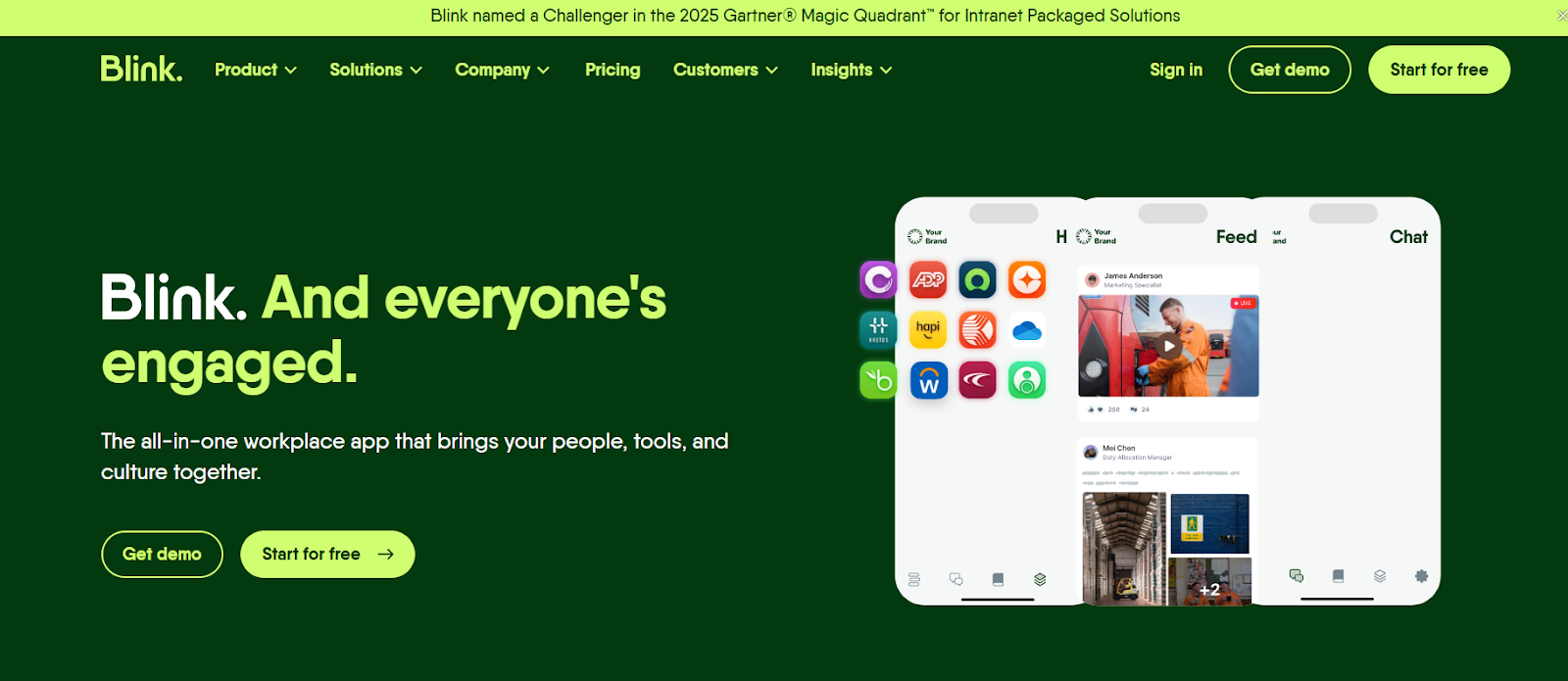
Blink's mobile-first employee experience platform connects and engages every worker (especially frontline and deskless employees) through a single digital hub by unifying internal comms with video calling and chat, news feeds, recognition, digital forms, and analytics.
Making it one of the best internal communication tools for small businesses with under 500 employees that rely on mobile staff.
Best suited for:
Startups, SMBs, and larger companies, with a significant number of non-desk employees (such as retail, manufacturing, logistics, hospitality, and field projects).
Blink pros:
- Combines chat, news feed, forms, recognition, and analytics in one app
- High engagement potential, Blink claims to reach 95% of the workforce
- Built for mobile/deskless workers, ensuring inclusion and access
- Enhances your team's alignment, recognition, and connection
Blink cons:
- Blink's strengths are communication and engagement, rather than scheduling or shift management
- Businesses with large frontline teams can find the per-user pricing setup expensive
Integrations:
- Blink works with single sign-on/identity providers (including Okta and Active Directory Federation Services)
- It integrates with HR systems like Workday, ServiceNow, and UKG
- Blink connects to various cloud tools and knowledge bases
Blink key features:
- Analytics and insights on team engagement and content impact
- Recognition and employee contribution features (e.g., Kudos)
- Records employee journeys to provide onboarding support
- Live streaming/events for broadcast-style communication
- Knowledge base for policies and procedures
- Mobile-first chat and secure messaging
- Digital forms and survey tools
- Social-style news feed
Blink pricing:
- Free: Blinks offers a 30-day free trial.
- Business plan: $4.50/user/month (up to 1,000 users)
- Enterprise plan: Custom pricing for larger organizations
Connecteam
Connecteam is an all-in-one employee management app for mobile, deskless, and shift-based workforces.
It combines scheduling, time tracking, task lists, forms, HR, and skills in one platform, and is ideal for frontline and remote teams that need more than chat.
Best suited for:
Businesses from startups to SMBs and mid-market with mixed desk and non-desk workers. Organizations in retail, hospitality, field services, and logistics will find the app especially useful when they need to upgrade their scheduling, tracking, and communication.
Connecteam pros:
- Combines scheduling, time tracking, communication, forms, and task management
- Free small business plan for up to 10 employees with full feature access
- Designed for non-desk and operational teams
- Includes HR and skills tracking tools
Connecteam cons:
- Some advanced features (like GPS tracking or automation) are only available in higher tiers
- Complex to set up and use because of its many features
- Pricing can increase as your business grows
Integrations:
- Connecteam’s Application Programming Interface (API) enables simple automation and syncing
- Company chat/communications connect with existing tools
- Handy time tracking, HR systems, and payroll features
Connecteam key features:
- Mobile communication/chat and knowledge feed
- Shift management and scheduling
- Task and checklist management
- Onboarding and training tools
- HR and skills tracking module
- GPS tracking and time clock
- Forms and reporting
Connecteam pricing:
- Free plan: Up to 10 employees, then $0.50/user/month per user.
- Basic: $29/month for up to 30 users (annual billing); additional users beyond 30 are $0.80/user/month
- Advanced: $49/month for 30 users (annual)
- Expert: $99/month for 30 users (annual)
Troop Messenger
Troop Messenger is a secure team collaboration and communication tool with chat, audio messaging, video chat, file sharing, and enterprise-grade options. Perfect for teams that want real-time messaging without the overhead of a large platform and that don’t need HR or scheduling modules.
Best suited for:
Small to medium teams (SMBs) that need real-time communication, chat, calls, and sharing, especially where cost matters, and complete workforce management modules aren`t essential.
Troop Messenger pros:
- Includes chat, audio/video, screen sharing, guest access, searchable history
- Scalable with enterprise-level options
- Affordable entry-level pricing
Troop Messenger cons:
- Limited integrations and fewer advanced operations/workflow modules than other, more expensive team communication apps
- Whilst giving you control over the settings, its on-premise/custom deployments can complicate the pricing
Integrations:
- APIs for enterprise or custom deployment to partners and external developers
- Dropbox, Google Drive, Jira, and Zapier
Troop Messenger key features:
- Identity and authentication management systems, LDAP/Active Directory, and SSO
- Collaboration tools: Including code editor, meeting notes, and tasks
- File/document sharing with searchable history
- One-to-one and group messaging
Troop Messenger pricing:
- Premium plan: From $2.50/user/month
- Enterprise plan: $5/user/month
- Superior plan: Up to $9/user/month
Slack
A leading team communication platform with direct messaging (DMS), file sharing, fast integrations, and workflow automation, Slack is built for knowledge-based and distributed teams that rely on multiple apps.
Best suited for:
Medium to large outfits, especially knowledge workers and remote teams, depending on integrations, automation, and real-time collaboration.
Slack pros:
- Strong messaging, channels, automation, and search
- Free tier available for small teams
- Thousands of integrations
Slack cons:
- Overpowering for teams with simple communication needs
- For large companies, the per-user pricing adds up quickly
- No optimization for frontline and non-desk workers
Integrations:
- Too many to mention, with integration available for thousands of apps, bots, custom integrations, workflow automations, and APIs
Slack key features:
- App integrations, including but not limited to HR, CRM, and DevOps
- Multi-platform support (web, desktop, mobile)
- Direct and public/private channel messaging
- File sharing and message search
- Workflow automation and bots
Slack pricing:
- Free plan: Available
- Pro plan: $7.25/user/month (annual billing)
- Business+ plan: $15/user/month
- Enterprise+ plan: Custom pricing
Staffbase
Staffbase is a mobile-first internal communications platform for large, distributed teams, offering branded employee apps, targeted messaging, and analytics to reach the right people at the right time. A solid solution for large enterprises needing strategic internal comms at scale.
Best suited for:
Large companies with frontline/deskless workforces in multiple sites/countries that require a strategic internal comms platform with deep targeting and analytics.
Staffbase pros:
- Strong targeting and engagement analytics
- Made for mobile and deskless workers
- Scales well for large enterprises
Staffbase cons:
- Set-up and management require significant internal communication
- Custom pricing is high (see pricing below)
Integrations:
- Analytics platforms, HR/CRM systems, and mobile app frameworks
- APIs for custom modules and branded experiences
Staffbase key features:
- Content management/feed/news stream
- Multi-location and multi-language support
- Analytics/dashboards on engagement
- Branded employee mobile app/hub
- Targeted messaging/segmentation
Staffbase pricing:
Custom pricing depending on size and modules. An estimated starting cost is $30,000/year for 1,000 employees.
Flock
Teams looking for a budget-friendly, lightweight alternative to Slack will find their perfect fit in Flock. It's easy to use and offers most of the features you'd want in a team communication app.
Best suited for:
Smaller teams and start-ups that need a comprehensive yet affordable team communication tool with task management and messaging that integrates with apps like GitHub and Google Drive.
Flock pros:
- Easy onboarding and a layman-friendly interface
- More affordable than its premium competitors
- Flock has a free starter tier
Flock cons:
- Has fewer integrations and advanced features than its pricier competitors
- It doesn't suit larger or complex organizations
- Caps some features in lower tiers
Integrations:
- Flock offers standard integrations with productivity tools, bots, video call apps, and task management systems
Flock key features:
- File sharing and search capabilities
- Task management/integrations
- Chat and direct messaging
- Video calls/meetings
- Channels/groups
Flock pricing:
- Free plan: Available for up to 20 users
- Pro plan: $6.00/user/month (annual)
- Enterprise plan: Comes with custom pricing
Sling
Designed specifically for local hospitality businesses (think hotels and restaurants), Sling is a scheduling and shift-planning tool with built-in communication.
Best suited for:
SMBs with hourly/shift workers who need scheduling and simple communication between team members.
Sling pros:
- Combines scheduling with announcements and chat for real-time updates
- The free tier has core scheduling and shift management features
- Cost-effective for small businesses
Sling cons:
- Besides scheduling, the app has limited internal communication features
- Basic analytic options compared to more expensive team apps
- Large or complex operations may find it unscalable
Integrations:
- Basic chat/announcements module
- Payroll/time-clock systems
Sling key features:
- Time clock/attendance tracking
- Shift scheduling and planning
- Task and shift management
- Team chat/announcements
- Simple reporting
Sling pricing:
- Free plan: Up to 30 users
- Premium: $1.70/user/month (annual) or $2.00 monthly
- Business: $3.40/user/month (annual) or $4 monthly
Workvivo
Workvivo's employee experience platform (EXP) combines internal communications, recognition, engagement, analytics, intranet features, and a social-style feed into one platform, helping large organizations communicate, connect and engage with their employees.
Best suited for:
Mid-to large-sized organizations with distributed, hybrid, or multi-location teams that require a mobile-first platform that promotes culture, engagement, and unified communication.
Workvivo pros:
- Mobile-first helps remote employees stay connected, access information, and join company-wide conversations
- Fosters a sense of community to improve workplace culture
- User-friendly, intuitive, and engaging social-media interface
- Ideal for distributed, hybrid, or multi-location teams
- Strong focus on community engagement
Workvivo cons:
- Not a set-and-forget platform, it requires ongoing engagement and content management
- Small teams might find the implementation too complex
- Pricing doesn't work for most SMBs
Integrations:
- Over 40 HR/engagement tools (like BambooHR, Workday, and Gusto) and analytic platforms
- Mobile-first employee hub with custom branding and workflows
Workvivo key features:
- Employee communications feed and social engagement
- Analytics and reporting on engagement
- Multi-location and multi-device support
- Mobile-first access (desk and frontline)
- Recognition and rewards
Workvivo pricing:
Custom pricing. Example benchmark: $20,000/year for 200+ employees.
Simpplr
Simpplr is an AI-powered employee experience and intranet platform (EXP) that combines multiple tools and analytics into a single solution to improve internal engagement, communication, and productivity.
Best suited for:
Large organizations that use Microsoft Teams and need a digital workplace hub that combines a business's communication platform with chat, knowledge sharing, analytics, and personalization across a global workforce.
Simpplr pros:
- Mobile app allowing employees to access their digital workplace anywhere and anytime
- Provides automated workflows and integrates with other workplace apps
- Supports personalization, content management, and knowledge sharing
- Advanced intranet and employee experience features
- Scalable for large organizations
- AI search feature
Simpplr cons:
- Requires ongoing management and content maintenance
- Too heavy for teams seeking simple chat
- Expensive custom-based pricing model
Integrations:
- Knowledge management systems (including SharePoint, Google Drive, Confluence, Dropbox, and Salesforce), content management, and analytic platforms
- AI-powered personalization and intranet modules
Simpplr key features:
- Knowledge management and content distribution, including social newsfeeds and newsletters
- AI-powered tools for communication and personalized content
- Content engagement analytics and insights
- Employee recognition and survey tools
- Mobile accessibility for employees
- Intranet and digital workplace hub
Simpplr pricing:
Custom quotes by size and complexity. Starts at $12/user/month for full EX functionality.
[News feed product screen]
Final thoughts: Choosing the right team communication app
When choosing communication tools for small businesses with fewer than 500 employees, prioritize easy-to-use, mobile-friendly options.
Choose a platform that reflects how your team works, not just what shines on a features page.
For a large company’s internal communications app, ensure it includes strong governance, audience targeting, data tracking, and deployment assistance.
Start with a short pilot, measure adoption, grow from there, and remember:
Blink meets 95% of the workforce where they are and provides the solutions for the team communication problems they face today. So, if you’re ready to start communicating on a whole new level…
Blink. And start your free trial now.
FAQs
1. What app do people use to communicate internally?
Many businesses choose Blink, Slack, Microsoft Teams, or Google Chat because they offer chat, video, file sharing, and integrations on one platform.
2. What features should I look for in a team communication app?
Real-time messaging, channel/threads or topic-based communications, video and voice calls, file sharing, mobile/desktop support, search, integrations with other tools (such as file drives, calendars, and project management tools), and admin controls.
3. Is a team communication app different from a collaboration or project-management tool?
Yes, communication apps focus on real-time messaging, video, calls, and updates. A collaboration tool helps a team reach a common work goal. A project management tool helps plan and manage projects.
4. Can one app cover both remote knowledge workers and frontline workers?
Yes, while some tools emphasize one audience, many modern platforms (like Blink) support hybrid, remote, desk-based, and frontline workers.
5. Are team apps secure enough for regulated industries?
Leading platforms offer enterprise-grade security, encryption, audit logs, and compliance certifications, but always verify specifics for your industry.
6. How difficult is it to migrate from one communication app to another?
It’s not too tricky, as most team app providers offer export/import tools and phased rollouts.
7. What is the best communication app for a small business with fewer than 10 employees?
Start simple with low-cost or free tiers until you scale; most small businesses don’t need all the bells and whistles of full enterprise features.
8. Why is good team communication so important in 2026?
With our new world hybrid/remote work standard, communication gaps can fuel disengagement and productivity loss. Team communication apps help avoid those problems.
9. Will a communication app replace email?
No, email’s here to stay, as apps help reduce internal email load and speed up responses. But formal communications, external correspondence, and archival needs rely on email.
10. How much should I expect to pay for a communication app in 2026?
Pricing varies by user count, features, and integrations. Many platforms offer free basic versions and paid tiers that scale as you grow.
